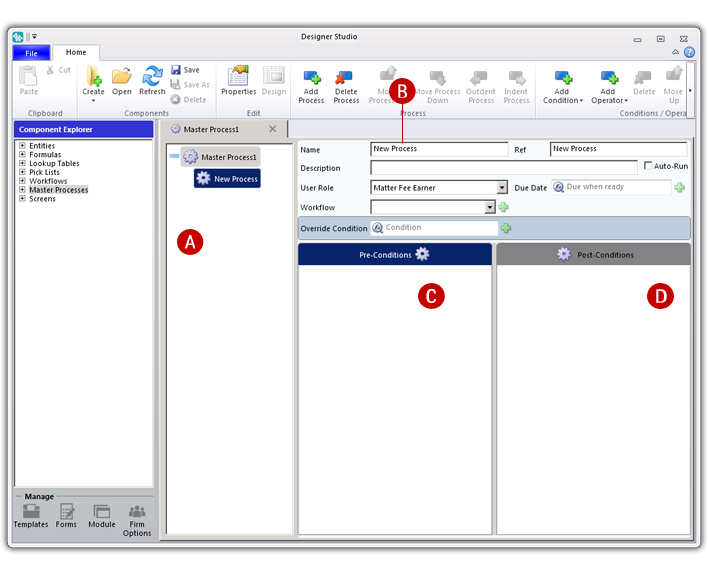
Process Designer is a tabbed pane that allows you to manage a long running business process, e.g. Purchase. When you open a process you are opening an instance of the Process Designer and you will automatically see a contextual tab in the ribbon bar that shows options specifically related to processes.
Process Designer is split into 3 panes—the Process pane, the Properties pane and the Pre-conditions pane.
Fig. Process Designer
A. Process pane B. Properties pane C. Pre-conditions pane
Process Designer is only displayed when you open a master process.